
Name-Based Chambers County Case Searches
The official Chambers County Records Search instructions point the public to the Tyler Technologies Portal. Smart Search lets you type a party name when the cause number is unknown. Treat a name match as only a lead. Compare the case style, court, filing date, case type, and present status before deciding a row is the case you are tracking.
Names repeat, change, or show up under different party roles. A search can return too much. Narrow it with a date range or court if those controls appear. The county's static page does not publish the portal's first-name, last-name, or partial-match logic. A blank result therefore proves nothing.
- Open the county Records Search page and follow its Smart Search link.
- Enter the party name as the court paper shows it.
- Narrow a common name by court or date.
- Compare style, court, filed date, and status.
- Read the latest event before relying on the opening filing.
| Field | Type | Required | Local note |
|---|---|---|---|
| Party/name | Text | Unspecified | Confirm with case details. |
| Record number | Text | Unspecified | Keep punctuation and leading digits. |
| Date range | Date | Unspecified | Under advanced filters. |
Chambers County Smart Search Portal
The Chambers County Tyler Portal is the practical county starting point for the District, County, and Justice Court records the county describes. JavaScript and cookies must work. Its landing screen separates Smart Search, Search Hearings, and Make Payments. Each tool answers a different question. The public landing screen appears below without private case data.
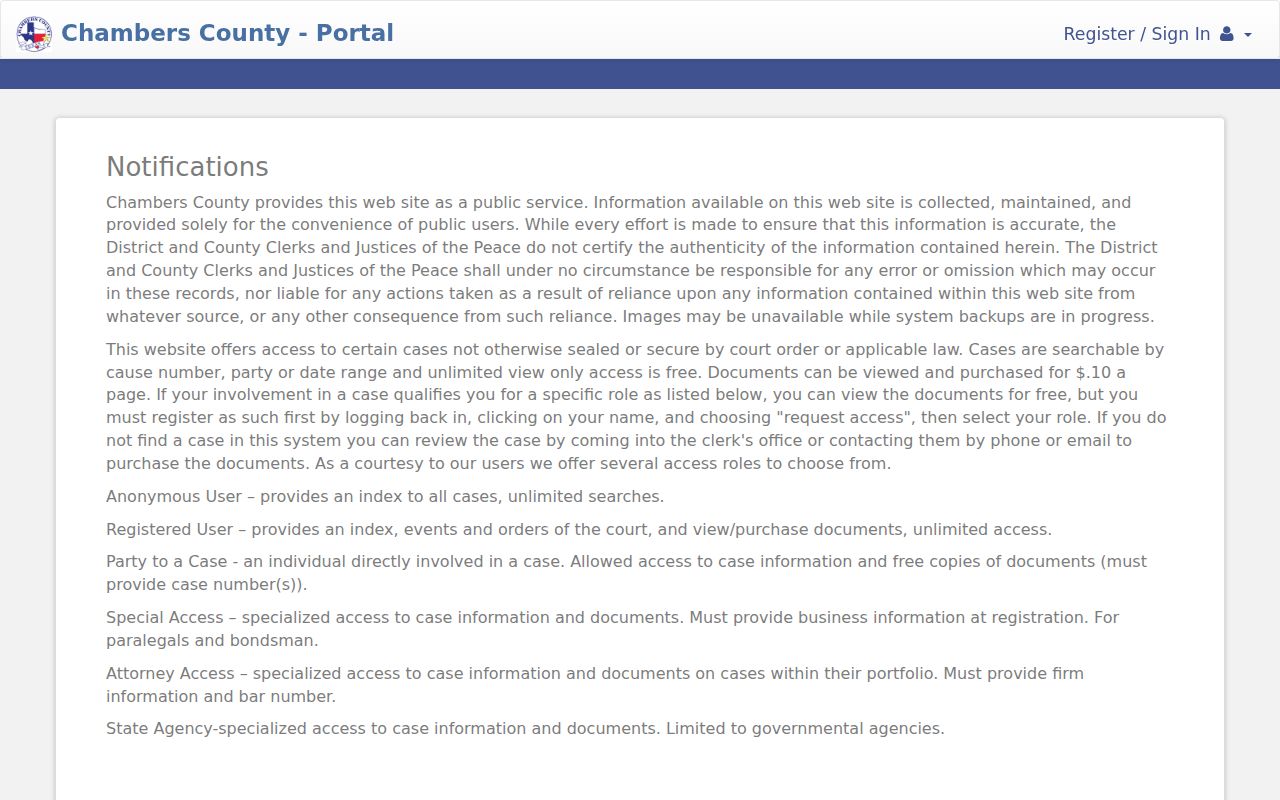
The portal is an index and access gateway. For certifications and absent records, the holding clerk remains the source.
Case Number Searches
A known cause number is the strongest search key. Chambers County also calls it a record number in Smart Search. Type it exactly as printed, punctuation and leading zeroes included. No single universal pattern exists. District, County, JP, and municipal systems may format identifiers differently.
Use EXACT CAUSE NUMBER as the safe model. If it fails, verify the court, then try party name and date. A citation may live in a JP or city system. A federal case format does not belong in this county state-court search.
Chambers County Asterisk Date Search
Chambers County publishes a rare date-search instruction. In Advanced Filtering Options, place * in "Enter a Record Number." Then set the range through Search Cases. Leave out that asterisk and a date-only query can derail. The county instruction screen documents both the workaround and Search Hearings.
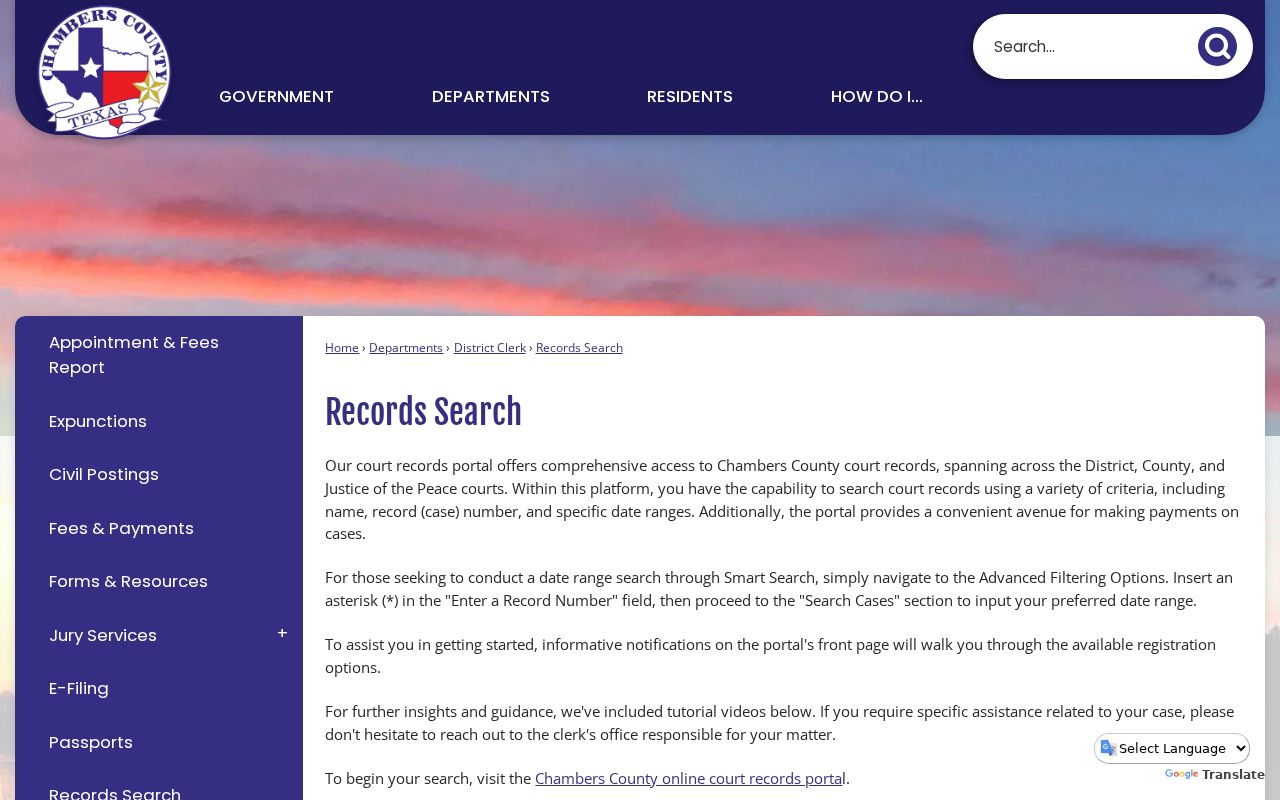
This local method helps when researching by filing period. When a cause number is known, use it exactly.
Chambers County Case Search Results Explained
A result begins with the case shell. Its detailed view may add events, settings, and orders. Read forward through time, then focus on the latest signed order, judgment, dismissal, disposition, notice of appeal, or reset. The first petition or charge shows how a case began, not always where it stands.
| Cause number | The identifier used for later searches and requests. |
|---|---|
| Style and parties | The formal case caption. |
| Court and type | The holding court and civil, family, criminal, probate, or justice context. |
| Filed date and status | The opening date and current system label. |
| Events and orders | The chronological register of filings, settings, rulings, and outcomes. |
Anonymous users get an index. Registered users can see the index, events, and orders, and available document images may be bought. That distinction matters when an answer rests on the words in a signed order.
Chambers County Portal Access Levels
The portal lists several access roles. These are Anonymous User, Registered User, Party to a Case, Special Access, Attorney Access, and State Agency. View-only index access is free. Registration adds account functions. Party access may allow copies after access and case-number verification. The notice does not list every proof item, though. The official County Clerk vendor search is a separate route.
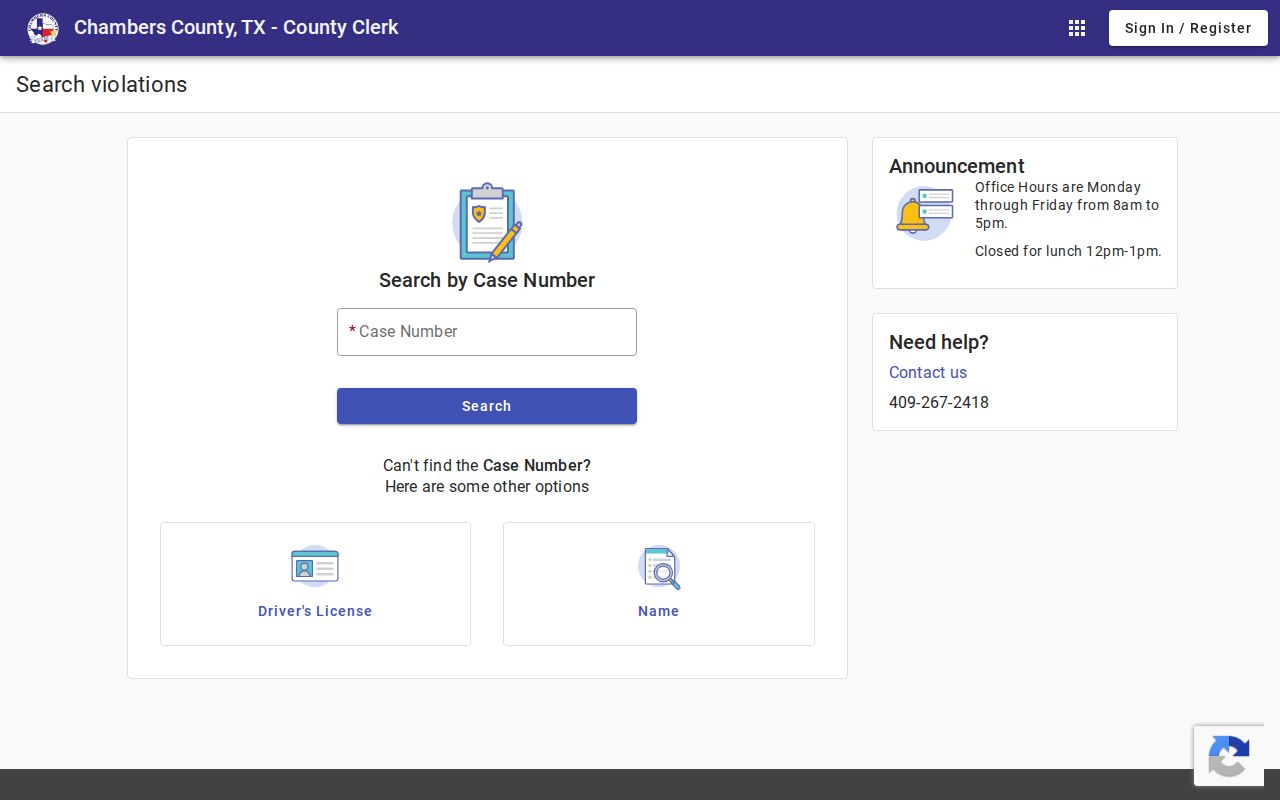
Use whichever channel belongs to the court that holds the case, and remember that registering for it does not unlock restricted records.
Two Ways to Search: County and State
Texas offers no single free statewide search for all trial court cases. The county Portal remains the direct local tool. For statewide reach, re:SearchTX serves mainly attorneys and e-filed documents, so treat it as support rather than a guaranteed replacement. eFileTexas handles the filing side, while the county Portal is what shows public docket data.
| re:SearchTX | Chambers County Portal |
|---|---|
| Registered statewide environment | Local county search |
| Participating e-filed material | Index, events, orders, and hearings |
| Useful for eligible multi-county work | Best first stop for a local case |
If both routes come up empty, Texas court guidance says to contact the correct district, county, justice, or municipal clerk.
Missing Chambers County Municipal Cases
A blank result can reflect custody. Anahuac and Mont Belvieu have documented municipal courts for ordinance and Class C matters. Anahuac uses clerk contact. Mont Belvieu offers payment access without a full public event-register search. Other city matters require city or JP confirmation.
JP Precinct 4 supports several search keys. You can search by case or citation, driver license, Social Security number plus birth date, vehicle, or name. Use sensitive fields only on the official secure JP page.
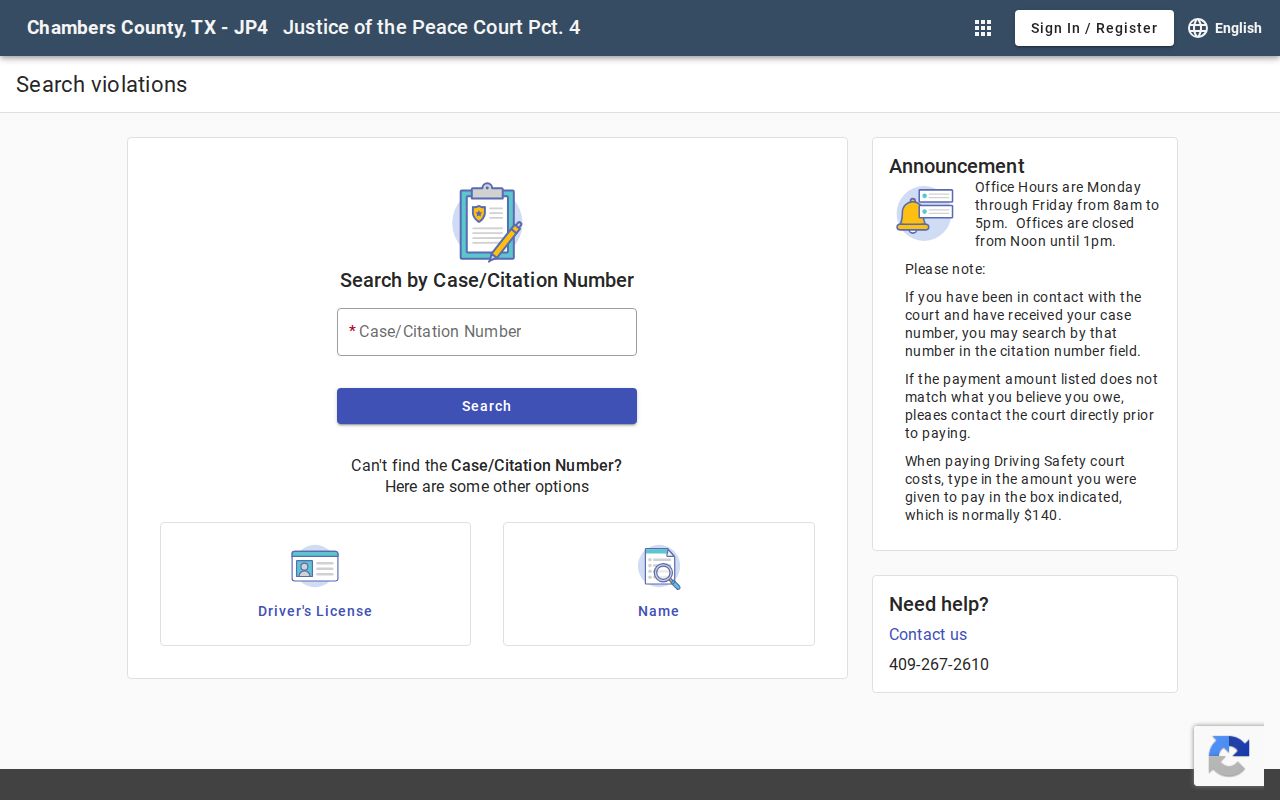
Those separate tabs explain why one Chambers County docket search will never surface every lower-court matter.
Chambers County Free Index and Images
Viewing the index is free and unlimited. Available images cost ten cents per page. They can go dark during backups, so plan around that. Read the event labels before you buy. That way you pay only for the filing you need.
A screen image is not a certified copy. For the named judgment, order, or docket sheet, ask the clerk of the court holding the file. Electronic, paper, search, and certificate fees may each apply separately. The Chambers County court case records process walks through that file-level step.
Which Chambers County Cases Stay Restricted
Some Chambers County records sit behind legal walls. Texas Family Code Chapter 58 shields juvenile files from the public. A civil case can vanish too, sealed under Rule 76a or a similar order. Family and protective-order dockets often hide addresses, phone numbers, and schools on purpose. Expunction or nondisclosure can change who sees a case after the fact.
What if your docket search comes up empty? That alone proves nothing. Try other spellings, a different identifier, another court level, or the asterisk trick. Then ask the District Clerk, County Clerk, JP clerk, or municipal clerk whether a redacted index exists. Ask what proof they want too. Even a paperless office keeps an official electronic record.
Chambers County Search Hearings
Smart Search and Search Hearings solve different problems in the Chambers County court docket. Smart Search pulls up a case register. Search Hearings answers a date question. You can query it by cause number, party, attorney, or court. The county labels these settings "dockets." Read each line for the court, the date, the time, and the setting type. Then compare it against any later reset or signed order in the docket.
For an appearance you cannot afford to miss, confirm with the coordinator. Call 409-267-2750 for the 253rd District Court. Call 409-267-2429 for the 344th. Call 409-267-2465 for County Court at Law. JP and city cases belong to the clerk named on the notice. The county posts no standalone daily-calendar PDF. So the Portal, the terminal, and the coordinator remain the reliable routes for court dates.
Reading Chambers County Docket Events
Three dates do three different jobs in a docket entry. A filing date marks the paperwork. A hearing date marks the appearance, and a result date marks what the court decided. Each event has its own meaning too. A notice sets a hearing, and a reset moves it. An order records a direction, and a disposition records an outcome. Chambers County publishes no official code list. Shorthand like MOT, ORD, CONT, DISP, and DWOP has to be checked against the full event text on the line.
Remember that an event is not the same as its filed PDF. The docket may show only that an order exists. The image holds the exact terms. Note the cause number and the event date before calling the clerk about a case lookup. That small step helps staff pull the right item. It also keeps you from paying for several filings with similar names.